Thank you for taking the time to learn more about the Accumera Client Account Portal. Our proprietary online portal was developed with our clients’ needs in mind, providing convenient access to important account information, order activity, documents, registered agent records, licensing records, and more.
The portal is designed to help clients manage information more efficiently and access key documents and updates when needed.
Portal Features
The Accumera Client Account Portal may include access to:
- 24-hour account access
View available account information online at your convenience. - Order status tracking
Review the status of pending and completed orders. - Document downloads
Access available filed documents, confirmations, and other records uploaded to your account. - Registered agent management
View registered agent records, service information, notices, and related entity details. - License management
Access licensing records, filing information, and related documents where applicable. - Invoice and account review
View account information, invoices, and payment options, where available. - Admin and standard user access
Assign different access levels to users within your organization. - Customizable search features
Search and filter information to help locate orders, entities, documents, invoices, and service records more easily.
Existing Clients
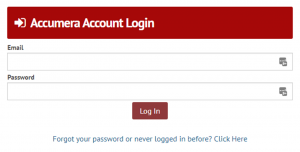
If you have ordered from Accumera before, you may already have portal access. Click the login image or portal link below, then select “Forgot Password” to set or reset your password and access your account.
Ongoing Improvements
We continuously work to improve the portal experience and expand available features. If you have questions, need help accessing your account, or have suggestions for improvement, please contact us.
Click the image below to log in to the Accumera Client Account Portal.